
Quick answer: You can check your Dunkin gift card balance on Dunkin’s website with your card number and PIN, in the Dunkin’ app if the card is registered to your account, by calling (800) 447-0013 and selecting Option 2, or by asking a cashier at any Dunkin’. Adding the card to the app is the easiest option, because your balance shows every time you order and you can pay with your phone.
How we put this together: we checked Dunkin’s own FAQ and balance pages and the terms printed on Dunkin’ cards, and we link our sources. Card terms and app features can change, so check Dunkin’s website for current details.
A Dunkin’ gift card is a go-to thank-you for teachers, coworkers and coffee lovers. Knowing how much is left helps you avoid an awkward moment at the register. This guide explains how to check your Dunkin gift card balance, add the card to the app, and keep your money safe.
Table of Contents
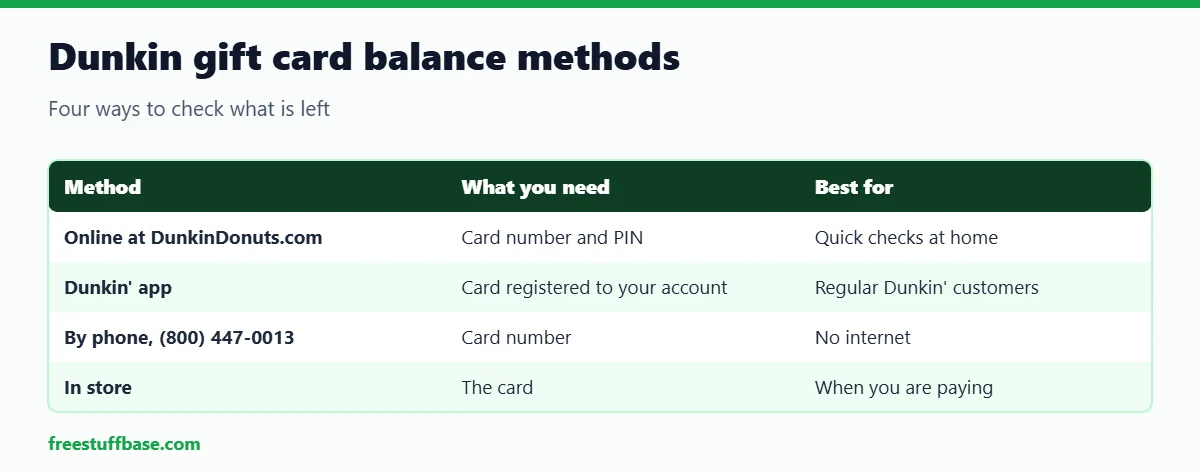
How to check your Dunkin gift card balance
| Method | What you need | Best for |
|---|---|---|
| Online at DunkinDonuts.com | Card number and PIN | Quick checks at home |
| Dunkin’ app | Card registered to your account | Regular Dunkin’ customers |
| By phone, (800) 447-0013 | Card number | No internet |
| In store | The card | When you are paying |
Online
Go to Dunkin’s Check Balance page and enter your card number and PIN. Dunkin’s FAQ explains that you need the PIN or ID number to check your balance and transaction history, register your card, reload it and set up auto-reload on DunkinDonuts.com.
In the Dunkin’ app
If you are a Dunkin’ Rewards member, Dunkin’s FAQ says you can check the balance of any registered Dunkin’ Card by signing in to the app or website. In the app, choose Add/Manage Cards from the main menu, select your card, and tap the refresh button next to the balance.
By phone
Dunkin’s FAQ says you can check your Dunkin’ Card balance by calling (800) 447-0013 and selecting Option 2. Have your card number ready.
In store
Any Dunkin’ cashier can check your balance when you pay, and the remaining balance usually appears on your receipt.
How to add a Dunkin gift card to the app
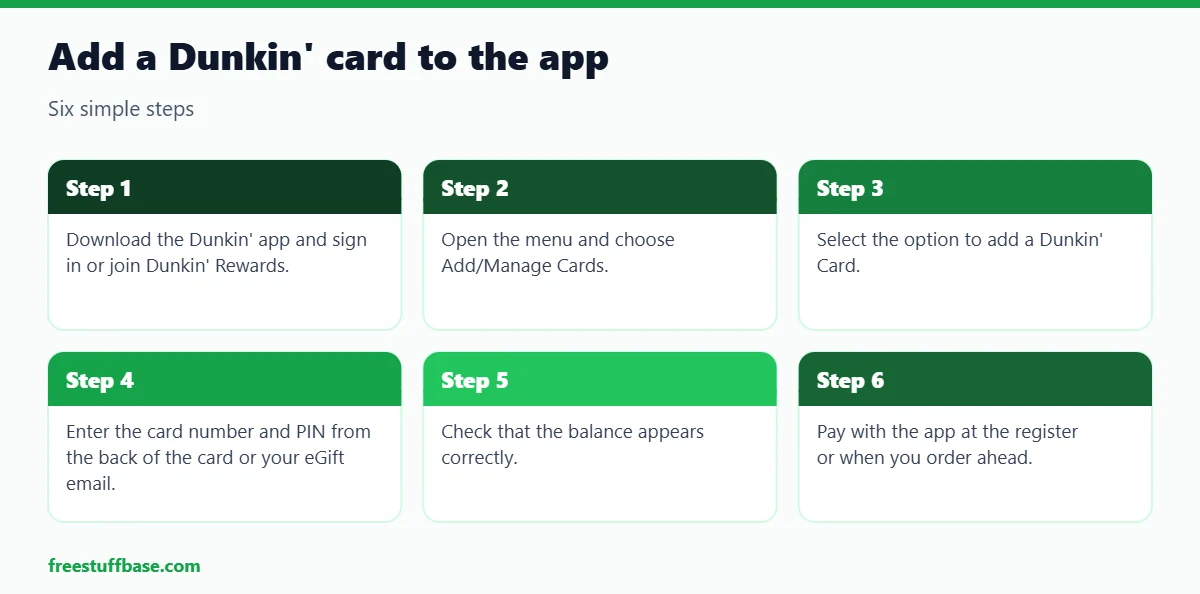
- Download the Dunkin’ app and sign in or join Dunkin’ Rewards.
- Open the menu and choose Add/Manage Cards.
- Select the option to add a Dunkin’ Card.
- Enter the card number and PIN from the back of the card or your eGift email.
- Check that the balance appears correctly.
- Pay with the app at the register or when you order ahead.
Once the card is in the app, you can see your balance any time, reload it and pay with your phone.
Earn Dunkin’ Rewards while you spend
Paying through the app also helps you earn Dunkin’ Rewards points. Dunkin’s help page says that once you have collected at least 150 points, you can convert them into free food and drink rewards. Combining a gift card with the rewards program is an easy way to stretch it further. Our guide to free coffee samples covers more coffee rewards programs.
Reloading a Dunkin’ card
Dunkin’ cards can be reloaded online or in the app. One rule to know: according to the terms printed on Dunkin’ cards, you cannot use one Dunkin’ gift card to buy or reload another Dunkin’ gift card. If you have several cards with small balances, use them up on drinks and food instead.
Keep your Dunkin’ card safe
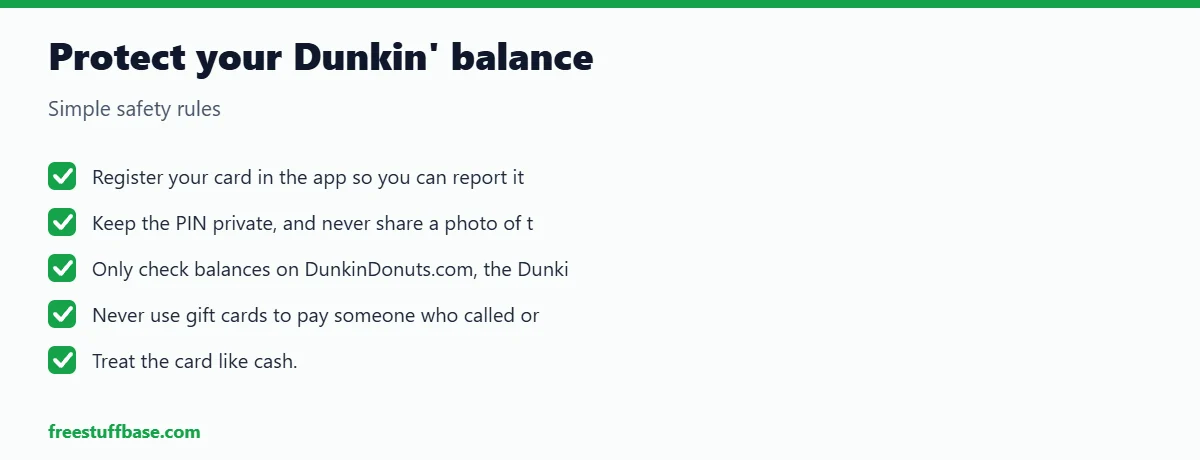
- Register your card in the app so you can report it lost or stolen.
- Keep the PIN private, and never share a photo of the back of the card.
- Only check balances on DunkinDonuts.com, the Dunkin’ app or the number on the card.
- Never use gift cards to pay someone who called or messaged you.
- Treat the card like cash.
Our guide to gift card scams explains how scammers try to steal gift card numbers and what to do if it happens.
What if your balance looks wrong?
If your Dunkin gift card balance is lower than expected, check your transaction history online or in the app. If you see purchases you did not make, report the card using the Report Card Stolen option on Dunkin’s site or by calling (800) 447-0013. Registered cards are easier to protect, which is another reason to add your card to the app.
Common Dunkin gift card problems and fixes
| Problem | Likely cause | What to do |
|---|---|---|
| Card will not add to the app | Typo in the number or PIN | Re-enter carefully, or try on DunkinDonuts.com |
| PIN is missing | Older or damaged card | Call (800) 447-0013 with your card number |
| Balance did not update | App needs refreshing | Tap the refresh arrow next to the balance |
| Card declined in store | Balance too low for the order | Split the payment with another card |
| Card lost or stolen | Card not registered | Register cards so you can report and protect them |
Most problems come from a mistyped number or a PIN that was hard to read. Take a clear photo of the back of a new card for your own records, store it somewhere private, and never send it to anyone else.
Dunkin gift cards make easy gifts
Dunkin’ sells physical cards in stores and eGift cards that can be sent by email or text, which makes them an easy last-minute gift. If you are giving one, include the purchase receipt or a note of the card number so the recipient can get help if something goes wrong. If you receive one, add it to the app straight away so the balance is safe and ready to use.
Dunkin gift card balance FAQ
Do I need the PIN to check my Dunkin’ card balance?
To check online or register the card, yes. Dunkin’s FAQ says you need the PIN or ID number for balance checks and registration on its website.
Can I check my Dunkin’ card balance by phone?
Yes. Call (800) 447-0013 and select Option 2.
Can I combine Dunkin’ gift cards?
You cannot use one Dunkin’ card to reload another. Add each card to your app and use them one at a time.
Do Dunkin’ gift cards expire?
Under federal rules, gift card funds cannot expire for at least five years from when the card was issued or last loaded. Check your card’s terms for details.
Can I get cash for a small Dunkin’ balance?
Only in states that require it. Our guide to gift card cash back laws by state explains where that applies.
Can I send a Dunkin’ eGift card?
Yes. Dunkin’ sells eGift cards that can be sent by email or text. The recipient can check the balance with the card number and PIN in the message, or add the card to the Dunkin’ app to keep it safe and ready to use at the register.
The bottom line
Checking your Dunkin gift card balance is quick online, in the app or by calling (800) 447-0013. Adding the card to the Dunkin’ app is the smartest move, because it shows your balance, protects the card and earns rewards. For other coffee gift cards, see how to check your Starbucks gift card balance.
Last checked: November 2026. Gift card terms, app features and rewards rules can change, so check Dunkin’s official website or app for current details.

Md. Emam Hasan is the founder of Freestuffbase and a digital marketer and SEO specialist based in Dhaka, Bangladesh. He researches free samples, gift card policies and sweepstakes rules from official sources, and writes practical guides to help readers save money and avoid scams. More at emamit.com.