
Quick answer: this Ibotta review finds that Ibotta is a free, legitimate cash back app that pays you real money for buying specific items in store and online. You add offers before you shop, earn cash back once Ibotta confirms your purchase, and can withdraw once you reach $20, either to PayPal or as a gift card. It works best for regular grocery shoppers who are happy to spend a few minutes picking offers; it is less useful if you rarely buy the featured brands.
How we put this together: we checked Ibotta’s own help center and blog, plus independent reviews from established finance sites, and we link our sources. Offers and terms change often, so confirm details in the Ibotta app.
Ibotta is one of the best-known cash back apps in the US. This Ibotta review explains how it works, how you get paid, the fees to watch for and whether it is worth your time.
Table of Contents
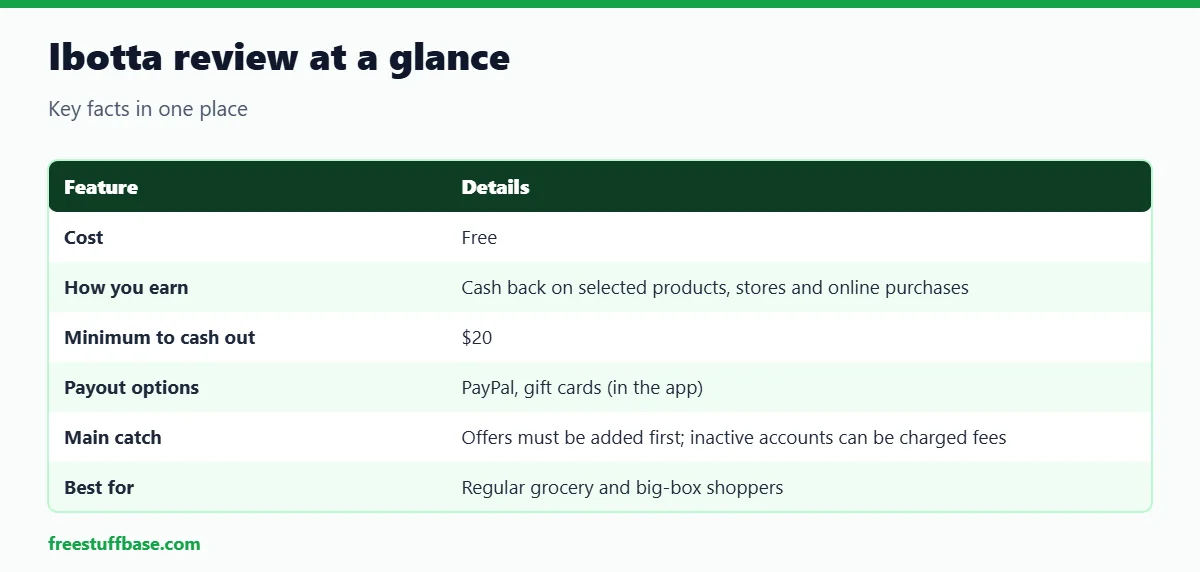
Ibotta review at a glance
| Feature | Details |
|---|---|
| Cost | Free |
| How you earn | Cash back on selected products, stores and online purchases |
| Minimum to cash out | $20 |
| Payout options | PayPal, gift cards (in the app) |
| Main catch | Offers must be added first; inactive accounts can be charged fees |
| Best for | Regular grocery and big-box shoppers |
How Ibotta works
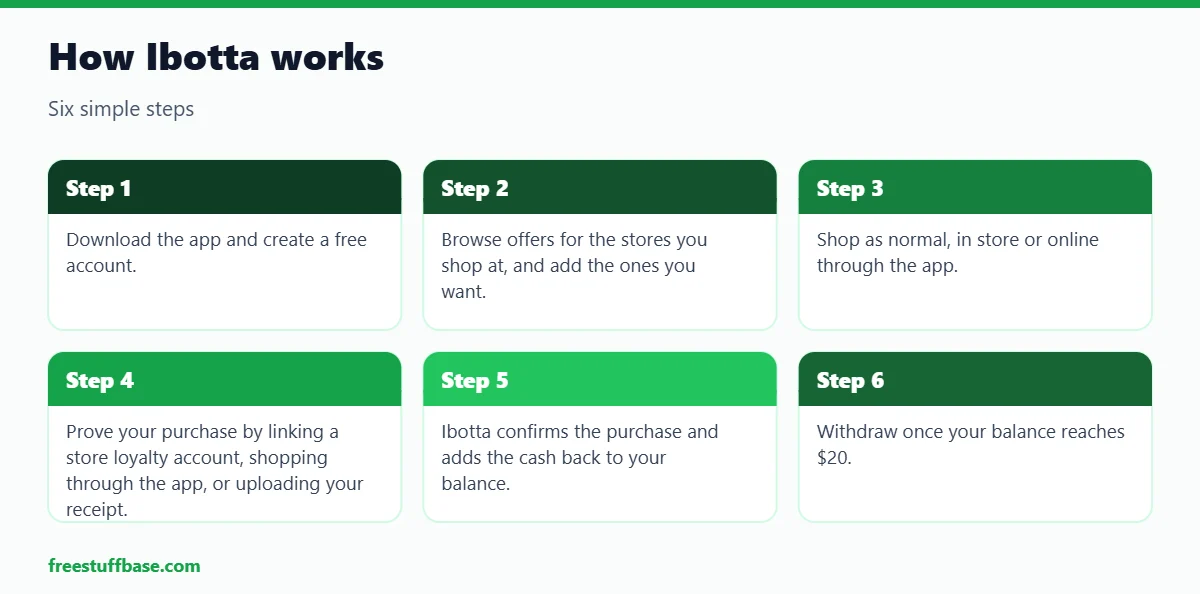
Ibotta earns money from brands and retailers that pay to put offers in front of shoppers. It passes part of that on to you as cash back. In practice:
- Download the app and create a free account.
- Browse offers for the stores you shop at, and add the ones you want.
- Shop as normal, in store or online through the app.
- Prove your purchase by linking a store loyalty account, shopping through the app, or uploading your receipt.
- Ibotta confirms the purchase and adds the cash back to your balance.
- Withdraw once your balance reaches $20.
Some offers are for specific brands, such as a cereal or a cleaning product, while others give a percentage back on everything you buy at an online store. Ibotta also sells digital gift cards with cash back built in, which some users buy right before paying at a restaurant or store.
How you get paid
Ibotta’s own guide says that once you reach $20 in earnings, you can transfer the money to your bank through PayPal or choose from more than 150 gift card options, including Amazon, Starbucks, Sephora, Walmart and Target. Ibotta says PayPal transfers usually arrive within minutes.
Note that withdrawals happen in the app. Ibotta’s help center states that withdrawing to PayPal is only supported in the Ibotta app, not on Ibotta.com. You may also need to verify your phone number before your first withdrawal.
Watch out for inactive account fees
The biggest catch is fees on inactive accounts. Independent reviewers, including The Motley Fool, list maintenance fees on inactive accounts as a downside. Reports from coupon sites say the fee starts after about six months with no activity and is taken monthly from your balance until it reaches zero.
The simple fix is to use the app at least occasionally, or to withdraw your balance once you pass $20 instead of letting it sit. Check Ibotta’s terms for the current fee and timing.
Ibotta review: pros and cons
Pros:
- Free to use, with real cash rather than points.
- Works at many grocery, pharmacy and big-box stores, plus online stores.
- Gift card payouts include popular brands.
- Fast PayPal withdrawals once you hit $20.
Cons:
- You must add offers before shopping, which takes planning.
- Many offers are brand-specific, so savings depend on what you buy.
- The $20 minimum can take a while to reach for light shoppers.
- Inactive accounts can lose money to maintenance fees.
Ibotta review tips to earn more
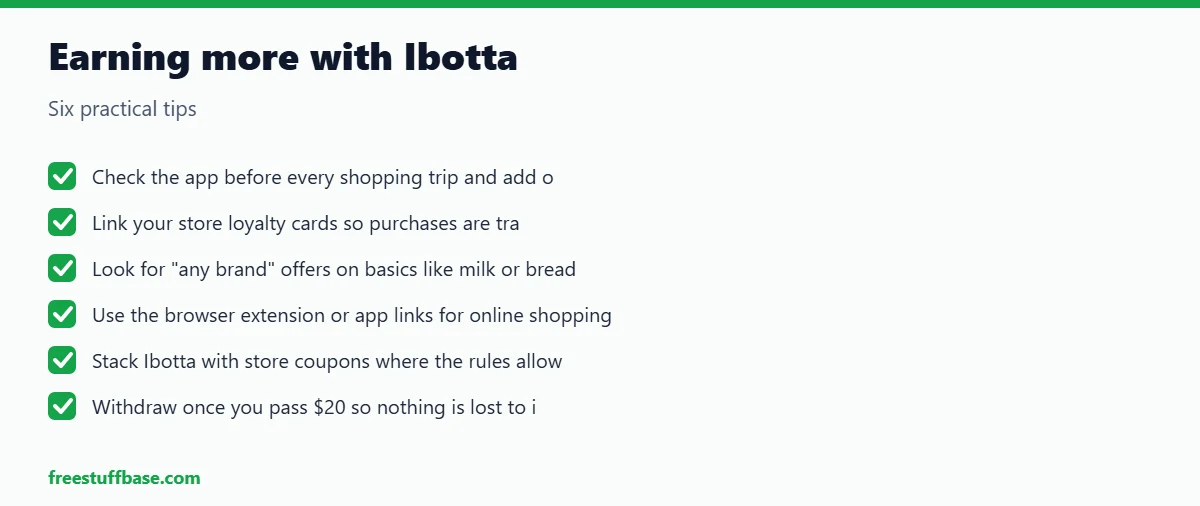
- Check the app before every shopping trip and add offers in one go.
- Link your store loyalty cards so purchases are tracked automatically.
- Look for “any brand” offers on basics like milk or bread.
- Use the browser extension or app links for online shopping.
- Stack Ibotta with store coupons where the rules allow.
- Withdraw once you pass $20 so nothing is lost to inactivity fees.
Ibotta works well alongside couponing; our couponing for beginners guide explains how to stack savings safely.
Ibotta review: how it compares
| App | How you earn | Payout |
|---|---|---|
| Ibotta | Add offers, then buy specific items | Cash via PayPal or gift cards at $20 |
| Fetch | Scan any receipt for points | Gift cards from 3,000 points |
| Rakuten | Shop online through the site, app or extension | Check or PayPal every three months |
Many people use more than one. Ibotta suits planned grocery trips, Fetch is easiest because it accepts any receipt, and Rakuten is strongest for online shopping. See our Fetch Rewards review, our Rakuten review and our pick of the best cashback apps to compare.
Who should use Ibotta?
Our Ibotta review comes down to how you shop. Ibotta is a great fit if you:
- Shop for groceries every week at a big chain that links to Ibotta.
- Already buy name brands that often appear in the offers.
- Don’t mind spending a few minutes adding offers before you go.
- Want real cash rather than points or store credit.
It is a weaker fit if you shop at small local stores, mostly buy store brands, or rarely buy anything online. In that case, a receipt app like Fetch, which accepts receipts from almost any store, may suit you better. Either way, this Ibotta review shows the app costs nothing to try, so you can test it for a month and see what you earn.
Is Ibotta legit and safe?
Yes. Ibotta is a real company with millions of users, and it pays out real money. As with any app, protect your account with a strong password, and only withdraw through the official app. Be wary of social media posts promising “free Ibotta money” in exchange for your login; our guide to gift card scams covers similar tricks.
Ibotta review FAQ
Is Ibotta really free?
Yes, Ibotta is free to download and use. The only costs to watch are maintenance fees on accounts that stay inactive for a long time.
How much can you make with Ibotta?
It depends on how often you shop and how many offers match what you buy. Regular grocery shoppers who add offers each week earn the most; occasional users may take months to reach $20.
How do I cash out on Ibotta?
Once your balance reaches $20, open the app, go to your account and choose to withdraw to PayPal or pick a gift card.
Can I use Ibotta without uploading receipts?
Often, yes. Linking store loyalty accounts or shopping online through the app tracks purchases automatically, though some offers still need a receipt.
Does Ibotta charge fees?
Ibotta is free, but inactive accounts with a balance can be charged maintenance fees. Use the app regularly or cash out to avoid them.
The bottom line
Ibotta is a legitimate way to get real cash back on everyday shopping, especially groceries. It rewards a little planning, pays out quickly once you reach $20, and works best alongside a receipt app like Fetch and an online cash back site like Rakuten. Just remember to cash out or stay active so your balance is not eaten by inactivity fees.
Last checked: November 2026. Ibotta’s offers, payout options and fees can change, so check the app and Ibotta’s help center for the current terms before you rely on them.

Md. Emam Hasan is the founder of Freestuffbase and a digital marketer and SEO specialist based in Dhaka, Bangladesh. He researches free samples, gift card policies and sweepstakes rules from official sources, and writes practical guides to help readers save money and avoid scams. More at emamit.com.